
Send the invoice.Keep everything else.
A free invoice generator in your browser.
No account, and your details never leave your device.

- No account
- No uploads
- No trackers
- Open source
How it works.
billsend is a private invoice generator: no sign-up and nothing to install. Open the editor and start typing.
Add the details
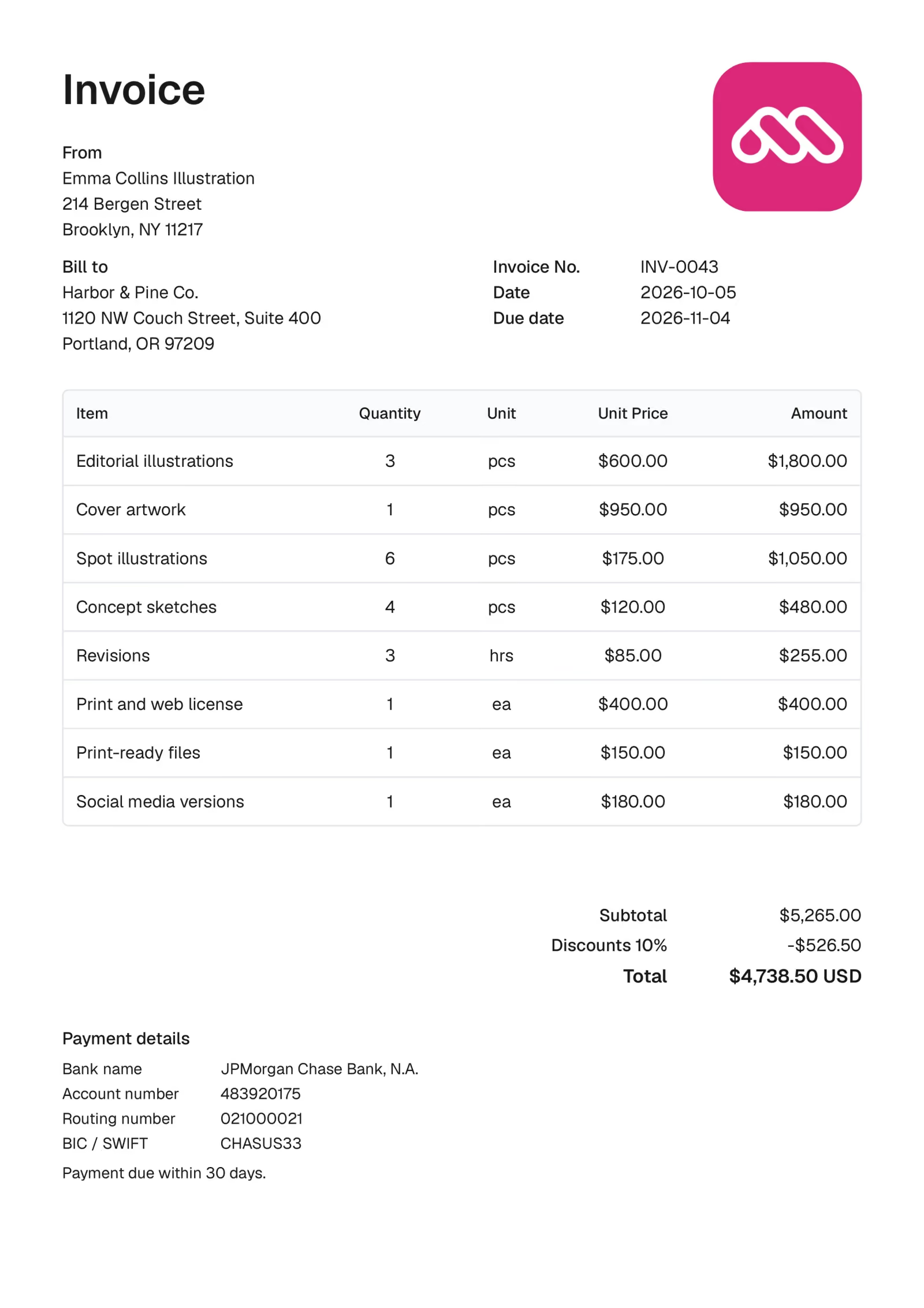
Your details, your client and the line items. billsend does the sums as you type.
Send the PDF
Download an A4 PDF or print it, then send it to your client however you like.
Keep a copy
Invoices save in this browser, so a repeat client’s next invoice starts from the last one.


How billsend compares with other invoice generators.
billsend makes the invoice and stops there. To email invoices and track payments, you want accounting software.
| Feature | billsendbillsend | GeneratorsOnline invoice generators | AccountingAccounting software |
|---|---|---|---|
| Free, with no paid plan | Yes | Some | No |
| No account needed | Yes | Some | No |
| Invoice data stays on your device | Yes | No | No |
| No watermark on the PDF | Yes | Some | Yes |
| Open source | Yes | No | No |
| Sends invoices and tracks payment | No | Some | Yes |
What goes on the invoice.
For freelancers and anyone with a side project who needs to bill a client, not set up accounting software.
Your logo, your type
Upload your logo and set the whole invoice in any of ten fonts, at three sizes.
Any currency
Choose the currency for each invoice, with custom symbols when you need them.
Tax, fees and discounts
Add VAT or sales tax, fees, and a fixed or percentage discount. billsend does the sums, taxing the amount after any discount.
Payment details clients can use
Bank name, account and routing numbers, IBAN, BIC / SWIFT and sort code, laid out so your client can pay without asking.


Also in the editor
- Templates for repeat clients
- Import and export backups
- Shipping address
- PO number and service period
- Notes and terms
- Late payment terms
- Tax-exempt invoices
- Amount paid and balance due
Questions before you start.
Something else, or found a bug? Open an issue on GitHub; you’ll need a free GitHub account to post.
Ask on GitHub (opens in a new tab)Making invoices
Does billsend send the invoice to my client?
No. billsend makes the PDF and you send it however you like, usually as an email attachment. It never contacts your client, and there’s nothing on our side that could.
Can I add VAT or sales tax?
Yes. Enter a tax rate and billsend charges it on the amount after any discount, then adds it to the total. For reverse charge or zero-rated work, mark the invoice tax-exempt and add a note such as “Reverse charge”.
Can I reuse an invoice for the same client?
Yes. Save any invoice as a template, and the next invoice for that client starts from it instead of a blank page.
Can I use it on my phone?
Yes. The editor opens fitted to your screen. Zoom in to edit a section, then download the PDF from the top bar.
Your data
Where are my invoices saved?
In this browser, on this device. Clearing this browser’s site data deletes them, and other browsers can’t see them. To back them up or move them, choose Export Data from the editor’s File menu; the file includes your bank details, so keep it somewhere safe.
Can I use a private window?
Yes, but private windows usually throw their storage away when you close them. Download your PDF, or export your data from the File menu, before you close the window.
Why is it free, and what’s the catch?
There’s very little to pay for. billsend keeps no accounts and stores nothing about you on a server; once a page has loaded, your browser does all the work. There’s no paid plan, no ads and nothing about you to sell: beyond anonymous counts, like how many PDFs are made, the site collects nothing. The code is public on GitHub under the MIT licence, so you can check.
Your next invoicestarts here.
Free, with no account. Opens straight into the editor.
Create invoice
